2025/Java Script/Creative Coding/Digital Art
Project Inforamtion
Creative Coding Project - Recreating Dove of Peace
Client: Universtity of Sydney
Course: Creative Coding
Type: Group + Individual Project
Key Tools and Techniques: WebGL, OnshapeOne, p5.js, Perlin noise, Color Mapping, Animated Speed Variation
Project outcome: Final Grade 100%
Info
Dove of Peace is a digital recreation of Picasso’s iconic artwork, paying tribute to its enduring message of peace. By reimagining the original in an interactive 3D format, we honor the classic while introducing modern elements that reflect our own interpretation of peace in today’s world.
Project Demo: Dove of Peace in Action
Introdution
This project challenges us to apply our coding skills to digitally represent a chosen artwork using p5.js. The assignment aims to test our ability to translate visual art into an interactive, modular code structure, capturing the essence and meaning of the original piece. Through this work, we explore how programming can convey artistic expression, using techniques learned throughout the semester to bring the artwork to life on a digital canvas.In response to the current global uncertainty and conflict, we chose to recreate Pablo Picasso’s Dove of peace using p5.js, due not only for its aesthetic simplicity but for its universal representation of peace and hope. Through this artwork, we want to express our desire for a more harmonious and peaceful world.rodution
Research and inspiration
Background of the original artwork
The Dove of Peace by Pablo Picasso holds significant historical and symbolic value, both in the context of Picasso's life and the broader 20th-century peace movement. Created after World War II during the rising tensions of the Cold War, Picasso’s dove was a response to a world yearning for peace (Waga, 2023). As a lifelong pacifist who had witnessed the devastation of war, Picasso used the dove to symbolize hope, unity, and the vision of a conflict-free world (Cohen, 2014). The artwork became one of the most recognizable symbols of peace, especially after its prominent use at the 1949 World Peace Congress (Waga, 2023).
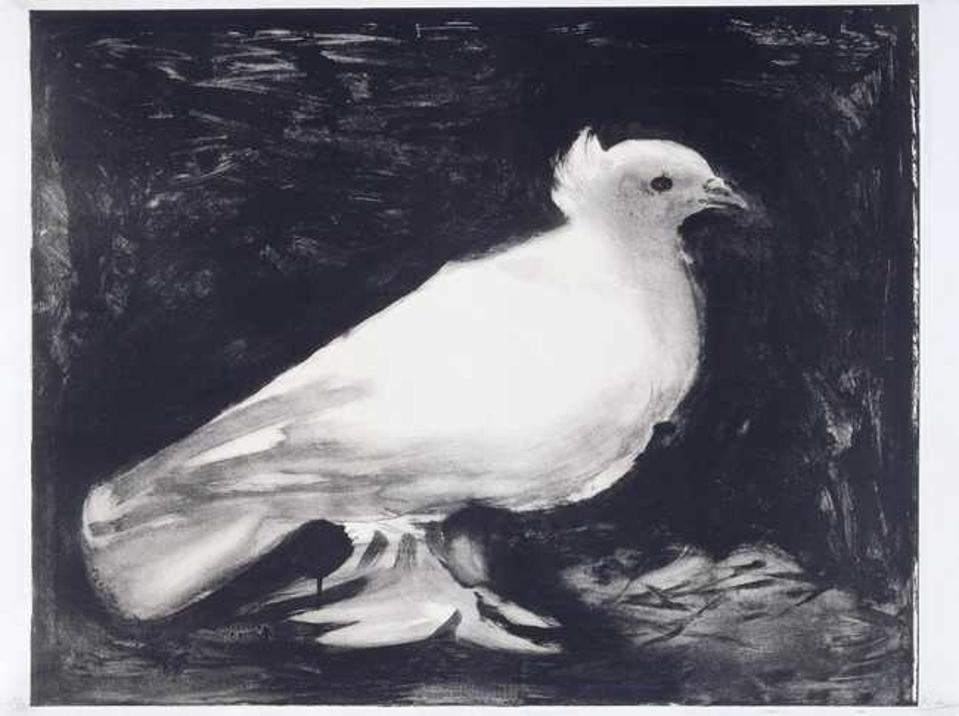
Figure 1: Realistic depiction of the Dove of Peace Picasso initially made in for the World Peace Congress, 1949
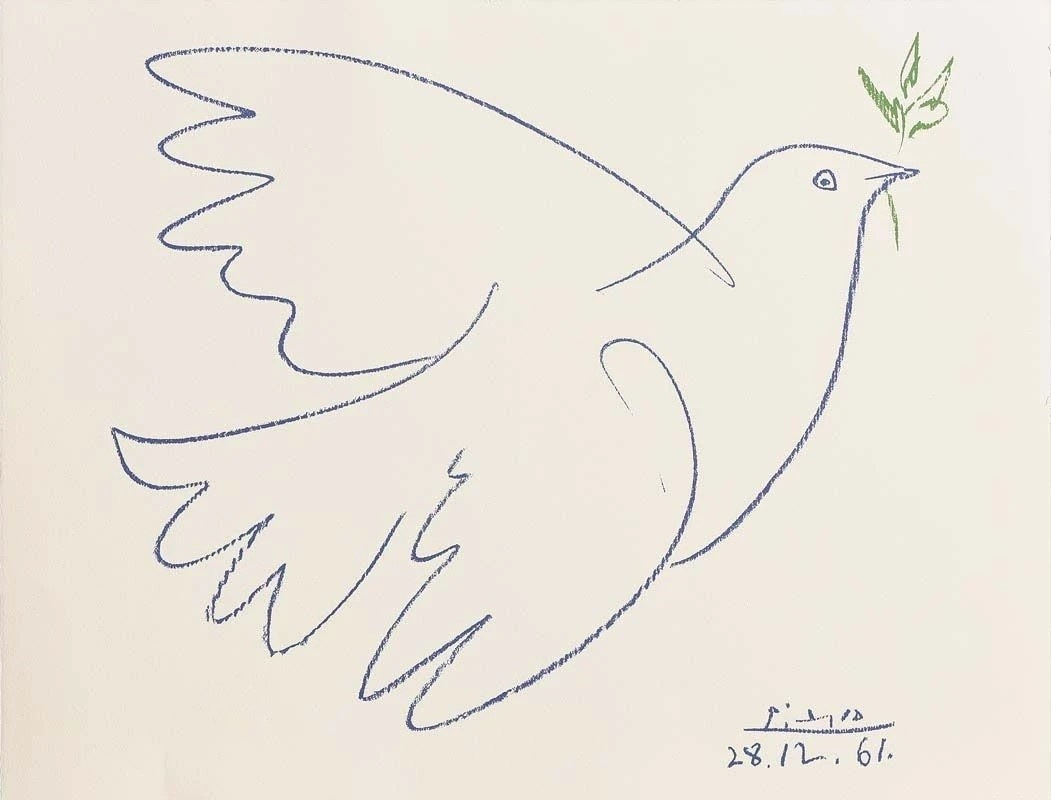
Figure 2 Pablo Picasso Dove of peace
The dove's minimalist, fluid lines conveyed a sense of purity and elegance, reinforcing the theme of peace and supporting Picasso's pacifist message effectively. This abstracted form ensured the dove's accessibility and recognizability across cultures, making it a powerful symbol of peace that transcended language barriers (Art in Context, 2024).
Recreation Inspirations
Inspired by Picasso’s vision of simplicity and universal appeal, our recreation of the Peace Dove is crafted using filled shapes to create a fluid, organic quality that enhances its elegance. The use of white preserves the purity of the original artwork.
While Picasso used the dove as a symbolic call for peace, we aim to bring the artwork to life in a more realistic way, reflecting today’s world and reminding us to cherish and preserve the peace we now experience. To achieve this, we chose to render the dove’s flight animation in 3D, with a slow and calm motion that adds depth to its presence.
My individual submission is inspired by one particular piecce of Picasso's Dove of Peace created in 1949 and its thematic representation of peace. I used the original color palette from Picasso’s artwork for the initial Perlin noise particles, then introduced a cyberpunk themed color to create a modernized contrast. My goal is to explores two distinct contrasts: 'past vs. future' and 'peace vs. tension'.

Figure 3. Artistic Inspiration of the initial State of the Animation
Interaction Instructions
1. Press the Mouse: Move the mouse over the screen; Click and hold the mouse to trigger a color and speed transformation:
- Dove Color: Changes from white to deep purple.
- Background Color: Changes from light green to purple reflecting past and future.
-Particles: Change in color,speed and movement reflecting peace and tension.
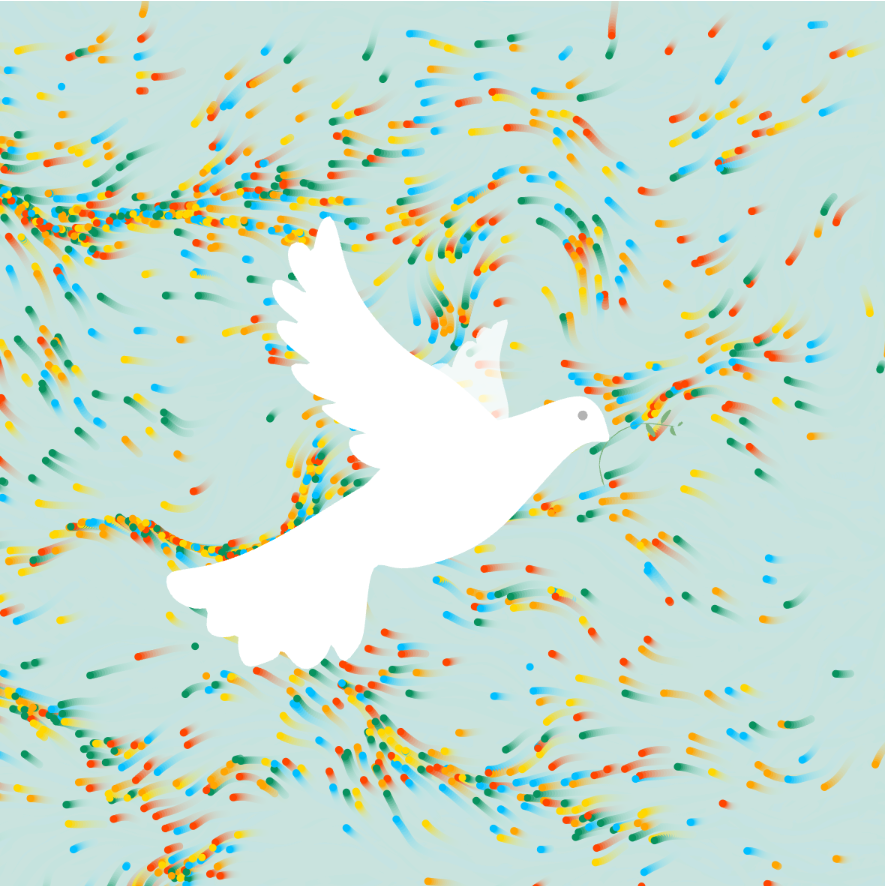
Figure 4: Figure 3. Initial State Of the Animation
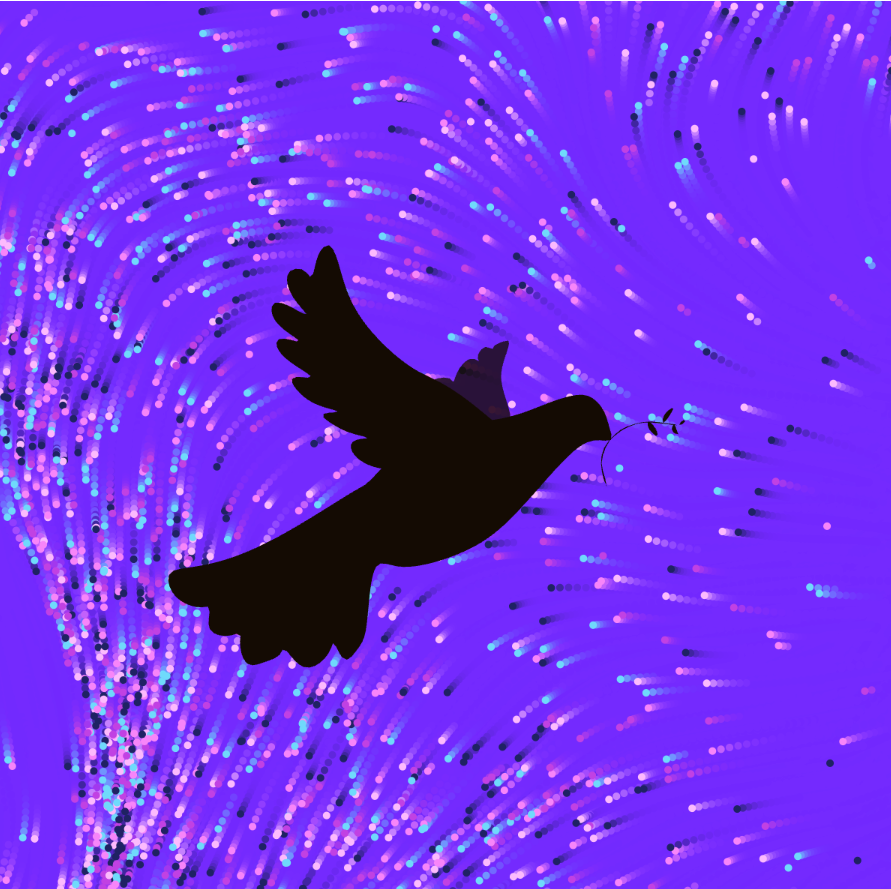
Figure 5. Mouse Pressed state of the Animation
2. Observe the Animation: The animation begins automatically on page load, with the dove flying peacefully in a gradual Perlin noise pattern. When the mouse is pressed, multiple elements change simultaneously:
- Dove Movement: The dove accelerates, flying faster with a color transition.Dove Movement: The dove accelerates, flying faster with a color transition.
- Perlin Noise Effect: The particles exhibit more dramatic movement, with increased speed and dynamic color shifts.
- Background Transformation: The background adjusts color.
Together, these changes create an interactive and cohesive transformation that responds to user input, making the animation feel dynamic and alive.
Thank you for Scrolling!
I really appreciate your time reviewing my work. I would be greaful to hear your feedback!
Other Projects
This is some text inside of a div block.

.png)